Project Management

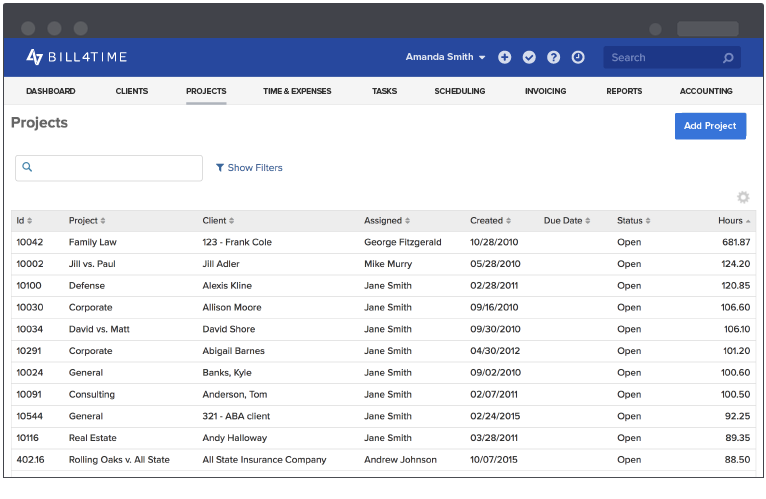
Monitor your projects with quick summaries or in-depth reports. Both can be quickly traced all the way down to the time and expense entry.

Bill4Time is a simple time billing software with project management features. Tracking your time is only part of managing your billable time. Bill4Time has many valuable tools to increase your workplace productivity. Monitor and manage your multiple projects by tracking the vital signs of the business.

Instant Project Monitoring

The dashboard offers various widgets showing the current progress of your activities.

Project Management Dashboard

  • Assigned/Subscribed Projects: A list of all assigned or subscribed projects.
  • Recent Projects: Your 20 most active projects.
  • Weekly Billable Amount: A graph of the amount you billed each week.
  • Weekly Billable Hours: A graph of the hours you billed each week.
  • Today's Time Entries: A list of all time entries you created today.
  • Today's Schedule: A list of all events scheduled for today.
  • Recent Time Entries: A list of your most recent time entries.

With the customizable nature of the dashboard, you can choose which widgets you want to see when you log-in.

In-Depth Reporting

If you want to get a more in-depth look at the projects' progress, Bill4Time provides many reports. You can generate professional progress reports in a matter of seconds.

Reports Dashboard in Bill4Time

User Efficiency Report

You can see at a glance who has been contributing to the project based on hours per day and exactly where in the month. This helps you detect abrupt peaks and lulls in billable hours done that month.

User Efficiency Report

Service Report by UserUser Summary Report

Once you locate a certain time, you can further investigate with the User Summary Report by User. In this service report, you can see the total labor contributed by any single user of your account.


Scheduling with Bill4Time & iCal

Bill4Time can also help you keep on schedule. With the scheduler, you can set your milestones and see what milestones are coming soon. It's found by all users and can be accessed on any computer hooked up to the internet. This way, everyone is on the same page, working as a team.

Schedule Management for Projects

Bill4Time's iCal Sync helps you integrate your Entourage, Outlook, Google Reader, or any other scheduling software you use that accepts iCal feeds. This way you don't have to copy anything entered in the Bill4Time Scheduler to your iCal application. It is automatically synchronized.

Customized Monitoring

Each business is unique. Each has its own vital signs to monitor. In Bill4Time, you can customize your settings to cater to your particular business.

Customizable Lists

Access Your Files on Any Computer

Since Bill4Time is a web-based software as a service, you can upload files and documents to your projects. This way, you have the internet as your hard drive. You'll be able to access your secure account with any computer connected to the web.

File and Document Uploads

You can increase your business management with these features and more. Try out BIll4Time with a 30 day risk free trial today and see for yourself how you can improve your project management.


TrackingCode