A Guide to the Best Attorney Time Tracking Software
01/29/2026 By Clare Sheehan

Tracking time accurately is one of the most important habits an attorney can build. Every phone call, email, meeting, and court appearance contributes directly to revenue. Yet many attorneys still rely on memory, handwritten notes, or spreadsheets at the end of the day.
That approach takes extra effort and often leads to missed or underreported billable time. Legal time tracking software simplifies this process by allowing attorneys to record work as it happens and connect those entries directly to invoicing.
The benefit is not just convenience. It is measurable financial impact. According to the latest American Bar Association Legal Technology Survey, firms that use digital time tracking capture more billable hours per attorney and issue invoices faster than firms using manual methods. Even a small increase in captured time each week can translate into meaningful annual revenue.
When firms evaluate the best time tracking software for legal services, they are usually looking for something that saves time, improves billing accuracy, and fits naturally into daily work. Legal time tracking software also supports flexible work styles through a legal software mobile app for time tracking, which helps attorneys log time wherever work happens. This guide explains how legal time tracking software works, what features matter most, and how firms can make a confident, informed decision.
What Does Legal Time Tracking Software Do?
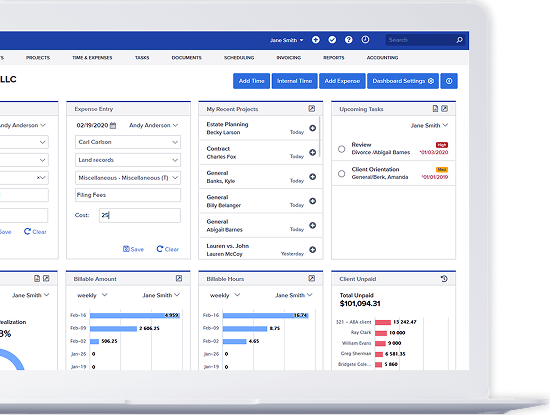
Legal time tracking software records the time attorneys and staff spend working on client matters and turns that information into invoices. Instead of reconstructing work after the fact, time is captured in real time or shortly after a task is completed. The best platforms support:
- Matter-based time entries connected to specific clients and cases
- Timers for live tracking and manual entry for flexibility
- Automatic, custom invoice generation from approved time records
- Clear distinction between billable and non billable work
- Reports that show utilization, realization, and revenue trends
Bill4Time Tip: Encourage attorneys to record time immediately after completing a task, even if it only takes 30 seconds. Attorneys who wait until the end of the day or week typically lose small increments of billable time that add up quickly. A legal software mobile app for time tracking is especially valuable for capturing time spent in court, traveling, or meeting with clients. Some platforms also offer a trial of legal time tracking software for free at a basic level, which can help firms establish consistent habits before expanding functionality.
What Features Make the Best Legal Time Tracking and Billing Software?
The best legal time tracking and invoicing software focuses on ease of use, accuracy, and billing flexibility. Features should reduce friction, not create more steps. Look for these essentials:
- Fast, flexible time entry: Attorneys should be able to start a timer, pause it, or enter time manually without interrupting their workflow.
- Direct link to invoicing: Time entries should flow directly into invoices, eliminating duplicate entry and reducing billing delays.
- Mobile access: A dependable legal software mobile app for time tracking ensures attorneys capture time away from their desks.
- Flexible billing: Hourly, flat fee, contingency, and blended rates should all be handled within the same system.
- Clear reporting: Reports should answer practical questions like which matters are most profitable or where time is being lost.
- Data protection and security: Client information must be secure and records should be easy to review if questions arise.
Bill4Time tip: Before committing, test how long it takes to create a time entry and generate an invoice. If it feels slow during a demo, it will feel even slower during a busy workday. While basic legal time tracking software for free may meet short term needs, firms often benefit from advanced reporting and invoicing capabilities as they grow.
What to Consider for Different Firm Sizes
Firm size plays a major role in choosing the right solution. Needs change significantly as more attorneys, staff, and matters are added.
Decision Chart
| Firm size | Primary needs | Recommended focus |
| Solo attorney | Quick setup, simple billing, affordability | Easy time entry, legal time tracking software for free or low cost plans |
| Small firm | Shared visibility and consistency | Matter collaboration, mobile time capture, automated invoices |
| Mid-sized firm | Oversight and accountability | Approval workflows, detailed billing and productivity reports |
| Growing firm | Standardized processes and insights | Best legal time tracking and invoicing software with strong analytics |
Bill4Time tip: Choose software that fits your current size but can support the next stage of growth. Migrating systems later often costs more time than upgrading within the same platform.
How to Choose the Best Law Firm Time Tracking Software
Selecting legal time tracking software is about fit, not just features. Firms should evaluate how well a system supports real world workflows. Key questions to ask during evaluation:
- How quickly can attorneys record time during a busy day?
- Does the system support mobile entry without extra steps?
- Can invoices be generated accurately with minimal review?
- Are reports easy to understand for both attorneys and administrators?
- How long does onboarding realistically take for the whole firm?
Steps for evaluation:
- Run a short pilot with a small group of attorneys.
- Review one full billing cycle from time entry to invoice delivery.
- Gather feedback from both billers and administrators.
- Compare captured hours before and after the trial period.
The right legal time tracking software helps firms capture more billable time, bill clients more consistently, and gain clearer insight into financial performance. Whether you are exploring legal time tracking software for free or evaluating the best time tracking software for legal service, the goal is the same: reduce administrative friction and make every billable minute count.
See how Bill4Time supports better time capture and faster invoicing. Sign up for a free trial of Bill4Time to experience simple time tracking, flexible billing, and clear reporting designed for how law firms actually work. No long setup, no complicated processes, just an easier way to track time and get paid.