Best Time Tracking Software for Legal Services: Boosting Efficiency and Profitability
12/19/2025 By Clare Sheehan

If you’ve ever looked at a billing cycle and wondered where your hours went, you’re not alone. Even the most organized legal professionals lose time when they rely on memory, handwritten notes, or scattered digital logs. A few forgotten emails, a quick call you meant to record, or a research session that blended into another task can add up fast.
The good news is that the right legal time tracking software makes this problem fixable. Modern legal-time tracking platforms automate your timekeeping, sync everything with billing, and eliminate the administrative drag that pulls you away from client work. You capture more billable hours, reduce write-downs, and gain better visibility into how you spend your time.
In this guide, you’ll learn how these systems work, the features that matter, and how to choose the best option for your day-to-day workflow. You’ll also see how a solution like Bill4Time fits into the picture, as it is designed for legal professionals who want greater accuracy and fewer administrative hassles.
How Does Legal Time Tracking Software Work?
Legal time and expense tracking software records your work across clients, matters, and tasks. It gives you multiple ways to capture time as you move through your day, so you spend less effort remembering what you did and more time on meaningful work.
Multiple Time Capture Methods
You can track your work through:
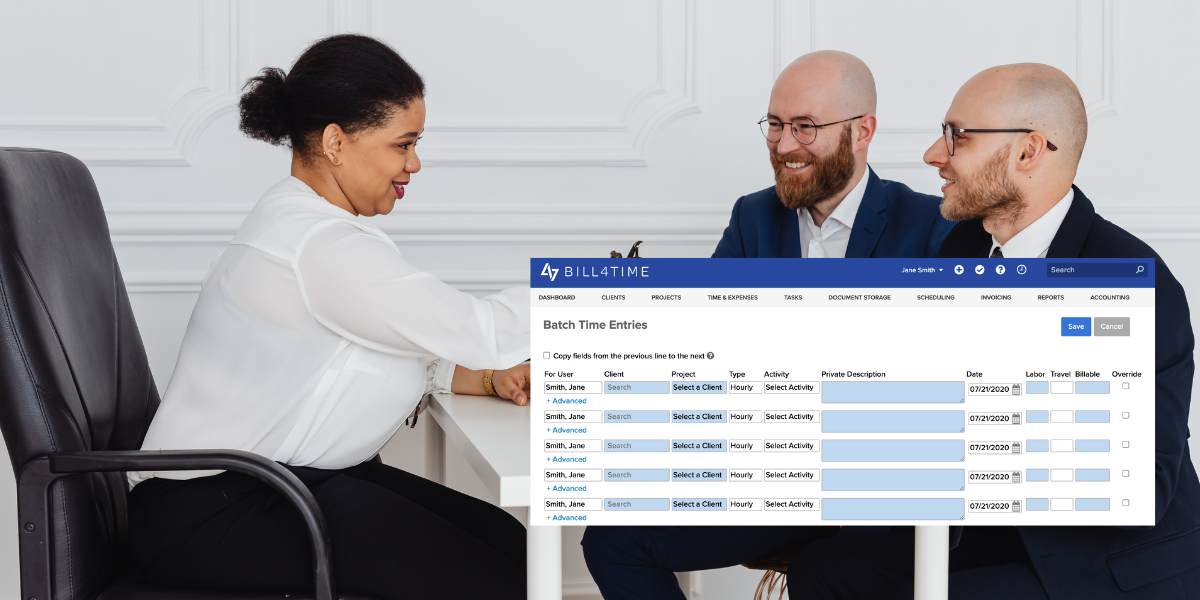
- Timers you start and stop throughout the day or enter your time in batches
- Calendar connections that convert meetings into time entries
- Integrated activity tracking that suggests entries based on emails, calls, or documents
Everything Links Back to the Matter at Hand
Every entry connects to a client, matter, and task. This creates organized records and a clear audit trail that supports billing decisions or responses to client questions.
Billing and Invoicing Sync Automatically
Once entries are created, they flow into your invoices without double entry or unnecessary clean-up at month-end.
Built-in Reporting and Insights
Structured time tracking with legal reporting and dashboard software offers:
- Productivity summaries
- Profitability breakdowns
- Matter-level time reports
- Attorney utilization metrics
These help you evaluate workflow patterns and make more informed decisions about staffing, scheduling, and pricing.
A Practical Example
In Bill4Time, you can start a timer from an email, meeting, or task with one click. This reduces the risk of losing track of small but billable activities.

What are the Most Important Legal Time Tracking Software Features?
There are dozens of time tracking products on the market, but few are made for legal professionals. Prioritize features that support accuracy, compliance, and efficiency.
Ease of Use
The last thing you need is for your software to muddy already murky billing waters. Simple legal billing software offers:
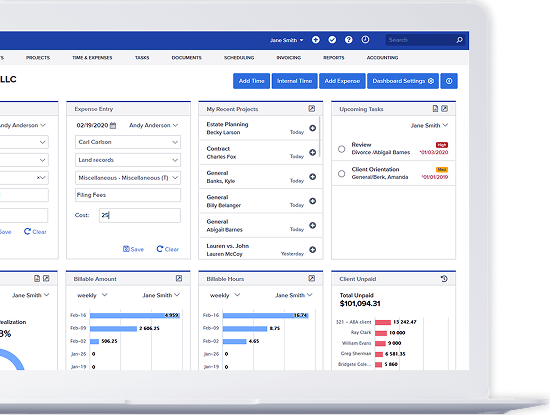
- Clear dashboards
- Mobile and desktop access
- Straightforward navigation
- A simple way to see all active timers
Automatic Time Capture
Given how often small tasks go unrecorded, automated suggestions can be the difference between capturing most of your day or only half of it. Automation helps you track:
- Meetings
- Emails
- Calls
- Document work
Customizable Billing Rates
Your solution should support:
- Client-specific rates
- Matter-specific rates
- Activity codes
- Flat-fee adjustments
Reporting and Analytics
Effective reporting helps you answer questions like:
- Which matters take the most time?
- Where do bottlenecks occur?
- Which practice areas are most profitable?
- How efficiently is each attorney working?
Integrations
Integrations should connect time tracking with your calendars and document workflows so everything remains consistent.
Compliance
Ensure the system supports ABA task codes, LEDES and LSS formats, proper trust accounting, and detailed audit trails.
Security
Look for encrypted cloud storage, two-factor authentication, and role-based permissions.
Can Timekeeping Software for Lawyers Help with Time Management?
Absolutely—accurate tracking does more than support billing. It helps you understand how you actually work so you can manage your workload more effectively.
Identify Inefficiencies
When you track your time consistently, you start to see patterns:
- Tasks that take longer than expected
- Repetitive administrative work
- Time drains hidden within your daily workflow
- Areas where delegation would improve productivity
Time tracking helps you make informed decisions about staffing and pricing.
Better Workload Balancing
Dashboards give you a bird’s-eye view of:
- Which matters demand the most attention
- Where time is being consumed across the team
- Which deadlines are approaching
- How your caseload is distributed week over week
This helps you prevent burnout and allocate your time strategically.
Reduced Administrative Burden
With automated tracking, you spend fewer hours:
- Reconstructing time entries
- Entering duplicate data
- Reviewing inaccurate invoices
- Reconciling billing discrepancies
What are the Benefits of Using Attorney Time Tracking Software?
When your timekeeping is accurate and consistent, your entire practice benefits. Here are the top advantages:
1. Financial Accuracy
When you track in real time, you capture every billable minute. You no longer underestimate small tasks or forget work done outside the office.
2. Clear Billing Transparency
Clients appreciate invoices that clearly show:
- What work was done
- When it was done
- How long it took
- Why it was necessary
This builds trust and reduces billing disputes.
3. Compliance and Audit Readiness
Your entries become organized, timestamped, and linked to specific matters—creating a clean record for audits and compliance reviews.
4. Improved Team Productivity
When your entire team tracks time consistently, you can see:
- Where workloads need support
- Which tasks are slowing down progress
- How efficient different workflows are
This helps you strengthen operations firm-wide.
5. Reduced Write-Downs and Increased Revenue
Accurate time capture means you’re paid for the work you’ve already done. Over time, this adds up significantly.
6. Scalable for any Size Practice
Whether you’re a solo attorney or part of a large organization, accurate tracking helps you grow efficiently without losing visibility into your work. Bill4Time is designed to simplify timekeeping while helping you boost profitability, strengthen transparency, and deliver high-quality service to your clients.
Resource: Questions to Ask Before Buying Legal Time Recording Software
Does your system track appointments and deadlines in legal matters?
Integrated calendaring ensures that important dates automatically align with your matter workflows. When appointments and deadlines connect directly to time entries, you reduce the risk of missing billable events—and you maintain a more accurate representation of your workload. Bill4Time’s time tracking software works with our legal calendaring platform to track every event, deadline, and appointment organized by matter and contact.
Can we migrate our existing timesheets and data to the new system?
Data portability is essential. You should be able to import:
- Past time logs
- Payment history or previous invoices
- Billing records
Bill4Time supports seamless data migration for each of the above so you can transition without losing your historical insights.
Can your attorney time-tracking system sync with calendars and case-management resources?
Your time tracking should work in harmony with your matter workflows. Calendar syncing ensures that meetings, events, and deadlines are captured and linked to your time entries, creating a consistent and efficient workflow. Bill4Time has its own calendaring software and integrates with Google Calendar so that you won’t miss a beat!
Does your attorney time tracking software support LEDES and LSS invoice formats?
Corporate clients, insurance carriers, and many government agencies require compliant billing formats. Bill4Time includes built-in support for both LEDES and LSS, ensuring your invoices meet industry standards without additional formatting work.
Where Do You Go From Here?
The best time tracking software for lawyers does more than record hours. It improves billing accuracy, strengthens client trust, reduces administrative work, and provides insights that help you run your practice more effectively. When time tracking is consistent and supported by automation, law firms recover hours that would otherwise be lost and convert them into billable, collectible revenue. If you’re exploring your options, consider how structured time tracking can improve your profitability and simplify your daily workflow.
Bill4Time makes time tracking simple, accurate, and fully integrated with your billing and matter management workflows. Whether you’re looking for the best time tracking software for legal services for free, or you need a comprehensive attorney time tracking app that scales with your firm, Bill4Time gives you everything you need to stay organized and profitable. Book a free trial to see how Bill4Time can transform the way you track time—start capturing every billable minute with confidence.