How Do Attorneys Track Their Time?
12/19/2025 By Clare Sheehan

How do Attorneys Keep Track of Their Hours?
Manual Time Sheets and Spreadsheets
Some attorneys rely on spreadsheets or forms to log start times, end times, and task descriptions. These methods are a good start, but they don’t scale. When you’re juggling multiple clients, different billing rates, or high caseloads, manual logs become error-prone and time-consuming.Calendar-Based Tracking and Matter Alignment
Some use their calendars as anchors to reconstruct their time. But when your calendar and time log are in different systems, reconstruction often results in gaps and missed entries. That’s why many firms are shifting to integrated time-tracking systems that automatically link each entry to a client and matter. With this method, you don’t just track hours—you track work done for clients, mapped to the right case.Real-Time Timers and Mobile Tracking
The most accurate approach is to track as you work; start a timer when you begin a task, pause or stop when you finish. Mobile or desktop timers offer precision and help capture brief tasks (e.g., a quick client call or email) that are often lost in manual logs.
Legal Timekeeping Habits That Work
Here are some practical steps to ensure you capture time accurately and consistently:- Track in real time whenever possible. When you start a task, start the timer immediately, whether on desktop or mobile.
- Use your calendar as a reference. If you logged a hearing, meeting, or call, make the entry as soon as the event ends to avoid forgetting.
- Log short tasks right away. Five- or ten-minute activities might seem trivial but add up quickly. Capture them immediately.
- Review and adjust daily (or weekly). Use Bill4Time’s calendar view or reports to check for gaps, overlaps, or missing entries. Update entries while the work is fresh in your mind.
- Assign correct rates and matters upfront. Before starting work on a matter, verify the billing arrangement and set the correct rate.
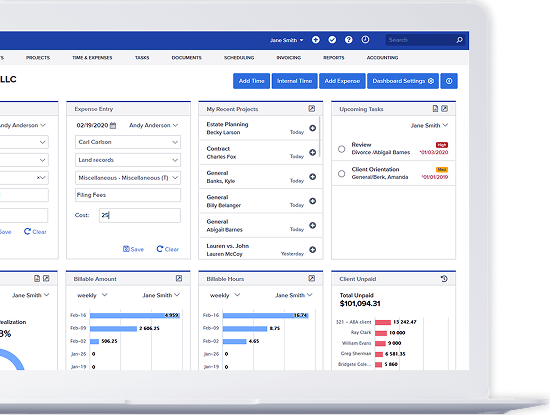
- Use expense tracking. If you pay for filing fees, courier costs, or other out-of-pocket expenses, log them with the time entry so invoices are complete.
- Run reports monthly or quarterly. Review billable vs. non-billable hours, realization rates, matter profitability and make adjustments as needed.
Why Time Management Software Matters
Manual tracking works until it doesn’t. Once your practice grows or your caseload becomes more complex, the inefficiencies and risks associated with manual processes begin to show. Here are a few signs it’s time to adopt an automated approach to timekeeping:- You have multiple clients with different billing rates.
- You need to track reimbursable expenses alongside time.
- You want an audit trail or compliance-ready records.
- You need to generate polished invoices quickly.
- You want to analyze productivity or matter profitability over time.
- You capture every billable minute. Every small task adds up. If you don’t track it immediately, you may forget, and that time becomes lost revenue.
- You make billing simpler and more professional. Rather than reconstructing hours at the end of the week, you’ll have accurate entries ready to invoice.
- You reduce billing disputes. When entries are recorded with matter, task, and time detail, clients receive clear, itemized bills that build trust.
- You understand where your time goes. Good records let you see which matters or tasks consume more time, helping you manage workloads, delegate appropriately, or adjust pricing.
- Your practice stays compliant. Accurate and auditable time logs support ABA standards, client billing guidelines, and internal accounting needs.
Choosing a Billable Time Tracker That Matches Your Practice
If you decide it’s time to upgrade from manual logs or spreadsheets, here’s what to look for:- Flexibility in how you track: Real-time timers, manual entries, calendar-based logs.
- Matter-based organization: Time and expenses tied to client and case.
- Billing flexibility: Support for hourly, flat-fee, contingency, or mixed billing.
- Reporting and analytics: Utilization, realization, profitability.
- Ease of use and accessibility: Cloud-based, mobile-friendly, intuitive interface. Security and compliance: Encrypted storage, access controls, audit trails.
Tracking Billable Hours With Bill4Time
Bill4Time was built with legal workflows in mind, giving you the ability to track time accurately, stay organized, and bill efficiently. Here are some of the core features that make a difference:- Real-time timers and flexible entries: Start and stop timers on desktop or mobile, or enter time manually if needed.
- Matter-linked tracking: Every entry is tied to a client and case, so you never lose context and have a log of historical data to pull from when it’s time to generate reports.
- Calendar-based views for time entries: Bill4Time lets you view logged hours in a monthly calendar format, helping you quickly spot gaps or overlaps, and align your time entries with your schedule.
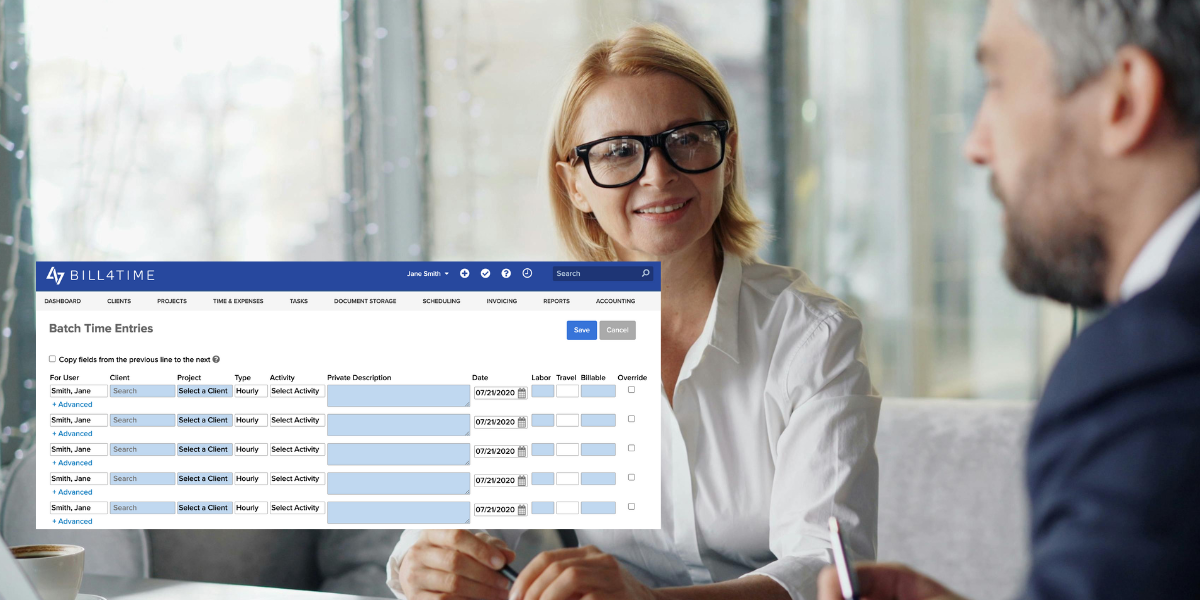
- Bulk editing and adjustments: Forgot to start the timer? Running late? You can correct or add entries in bulk without losing coherence.
- Custom billing rates and flexible billing arrangements: Whether hourly, flat-fee, contingency, or a hybrid, you can set billing rates per matter, client, or attorney.
- Expense tracking alongside time: Reimbursable costs (court fees, filing expenses, travel) can be logged together with time entries, keeping invoicing clean and complete.
- Reporting and analytics: Detailed utilization, matter profitability, fee realization, and unbilled time reports help you make informed decisions about staffing, pricing, and productivity.
- Secure cloud-based access: Your data is encrypted, accessible from anywhere, and organized for compliance and confidentiality.
- Hybrid workflows: Bill4Time is an adaptable legal time recording system that supports real-time tracking for long tasks, calendar-based entries for meetings or hearings, and last-minute adjustments at day’s end for short tasks or unplanned work